ADA Signage is More Than a Row of Braille Dots
When most people hear “ADA signage,” a very specific image pops into their head.
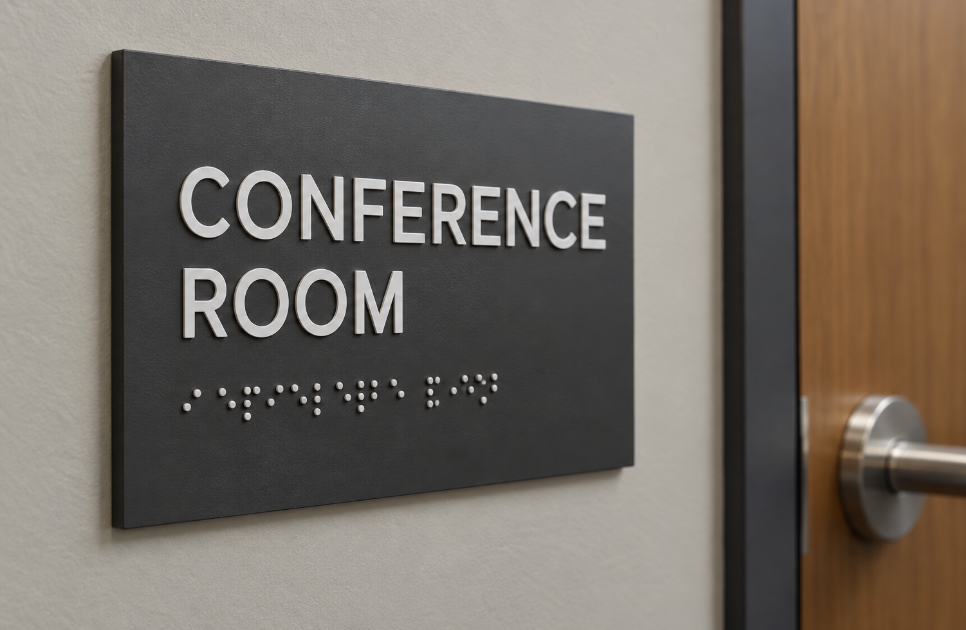
They picture a cheap, blue plastic rectangle glued next to a bathroom door, featuring a white wheelchair icon and a row of little bumps at the bottom.
Check the box. Pass the inspection. Move on.
Here is the reality: That mindset completely misses the point.
After spending over half a decade designing, fabricating, and navigating complex code compliances for commercial spaces, I can tell you that ADA (Americans with Disabilities Act) signage is one of the most misunderstood aspects of our industry.
It is not just a frustrating checklist for passing a building inspection. It is a fundamental system of environmental psychology and human rights.
📋 ADA Signage Design Readiness Checklist
Check off your layout requirements before sending files to print/fabrication:
The Tactile Reality: Fingers Read Differently Than Eyes
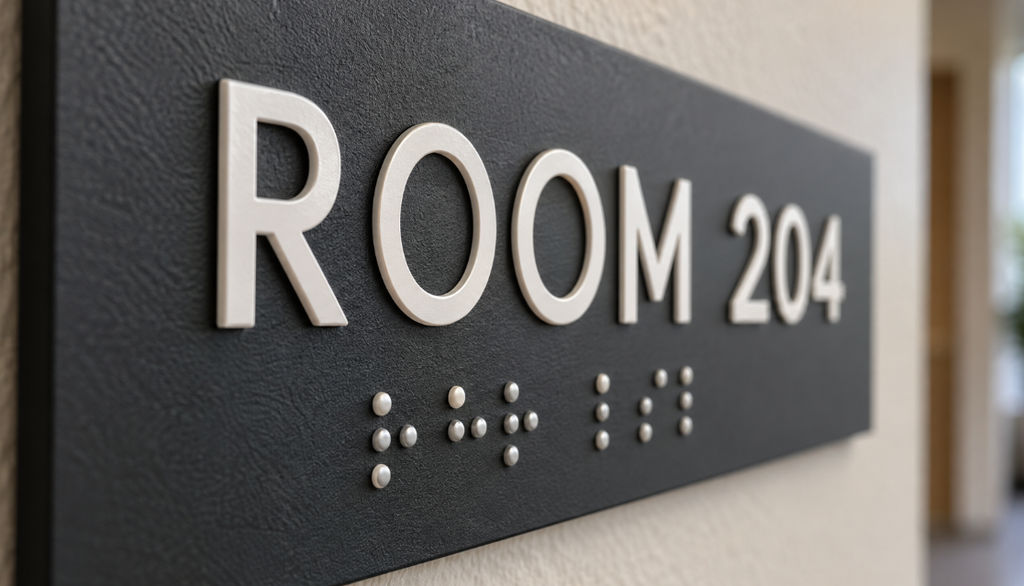
The biggest misconception about ADA signs is that braille is the only thing that matters for the visually impaired.
In reality, a significant portion of legally blind individuals do not read braille. They navigate by feeling the actual shape of the letters. This is why ADA code strictly requires raised tactile characters.
But you can’t just use any font.
- The font must be sans-serif.
- It cannot be italicized, oblique, or highly decorative.
- The stroke width and character spacing are strictly regulated.
Why? Because if letters are too close together, a finger sliding across them cannot distinguish the shapes. A beautifully designed, custom-branded architectural font will completely fail a tactile user if it feels like a chaotic jumble of lines.
The War on Glare (and Why Matte is King)
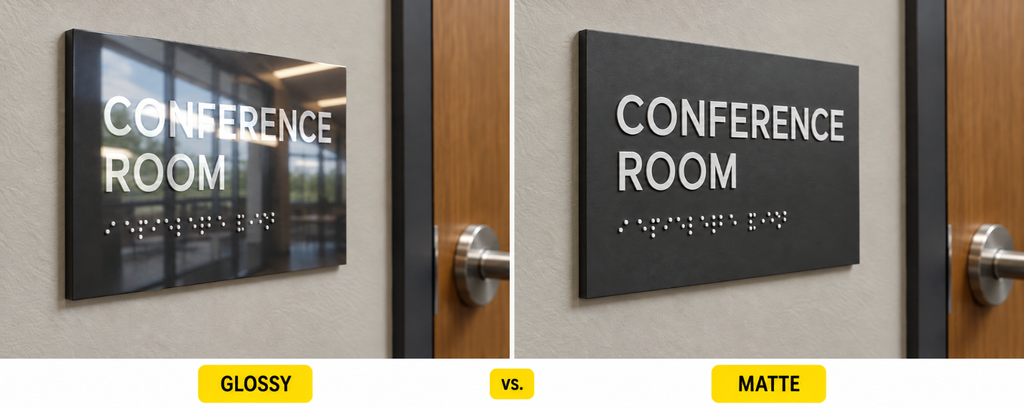
Imagine trying to read a menu on a glossy screen while standing in direct, harsh sunlight. You have to squint and block the light just to make out a single word.
For individuals with low vision, macular degeneration, or cataracts, that blinding glare isn’t just an annoyance, it makes navigation impossible.
This is why ADA code strictly mandates a non-glare finish for accessible signs.
You can design the most visually striking, polished metal or high-gloss acrylic sign in the world. But if an overhead hallway light hits it and creates a reflection, the contrast is destroyed.
🔍 ADA Material Compliance Quick Check
Select a proposed sign finish to test its ADA compliance:
The Geometry of Mounting: Height and Location
You can fabricate a flawless, highly contrasted, tactile sign. But if you mount it in the wrong spot, it instantly becomes non-compliant.
Installation is where the math gets rigid:
- The sign must be located on the latch side of the door.
- The tactile characters must be positioned between 48 inches and 60 inches above the finished floor.
- There must be clear floor space so a wheelchair user can approach within 18 inches without the door swinging into them.
This geometry ensures that a visually impaired person knows exactly where to reach out their hand to find the room number, every single time, in every building in the country.
Beyond the Code: Designing for Dignity

The most profound realization you can have in the signage industry is that ADA compliance is not the maximum standard; it is the bare minimum baseline.
Great signage doesn’t just seek to pass inspection. It seeks to provide independence and dignity to every single person who walks, or rolls, through the door.
When you design with accessibility in mind from the very beginning rather than treating it as a frustrating afterthought glued to the wall at the last minute you create environments that are genuinely welcoming.
The next time you see a beautifully integrated, easy-to-read room sign, take a closer look.
That little row of braille dots and those raised letters aren’t just there for code. They are the physical proof that whoever designed that building actually cared about the people inside it.
Comments (0)
No comments yet. Be the first to comment.